
Client 360°
Beauty Salon Client Management Software
A client card is not a phone book; it is the chronological memory of everything about that client. Everyone at reception, every specialist and the manager looks at the same information.
What does it offer?
- Timeline: appointments, packages, sales, payments and notes in date order
- Storing before / after photos, consent and contract documents
- Phone, WhatsApp and data-protection communication consents
- Bulk client import and export with CSV / Excel
- Entering old records with a past date
All history on one card
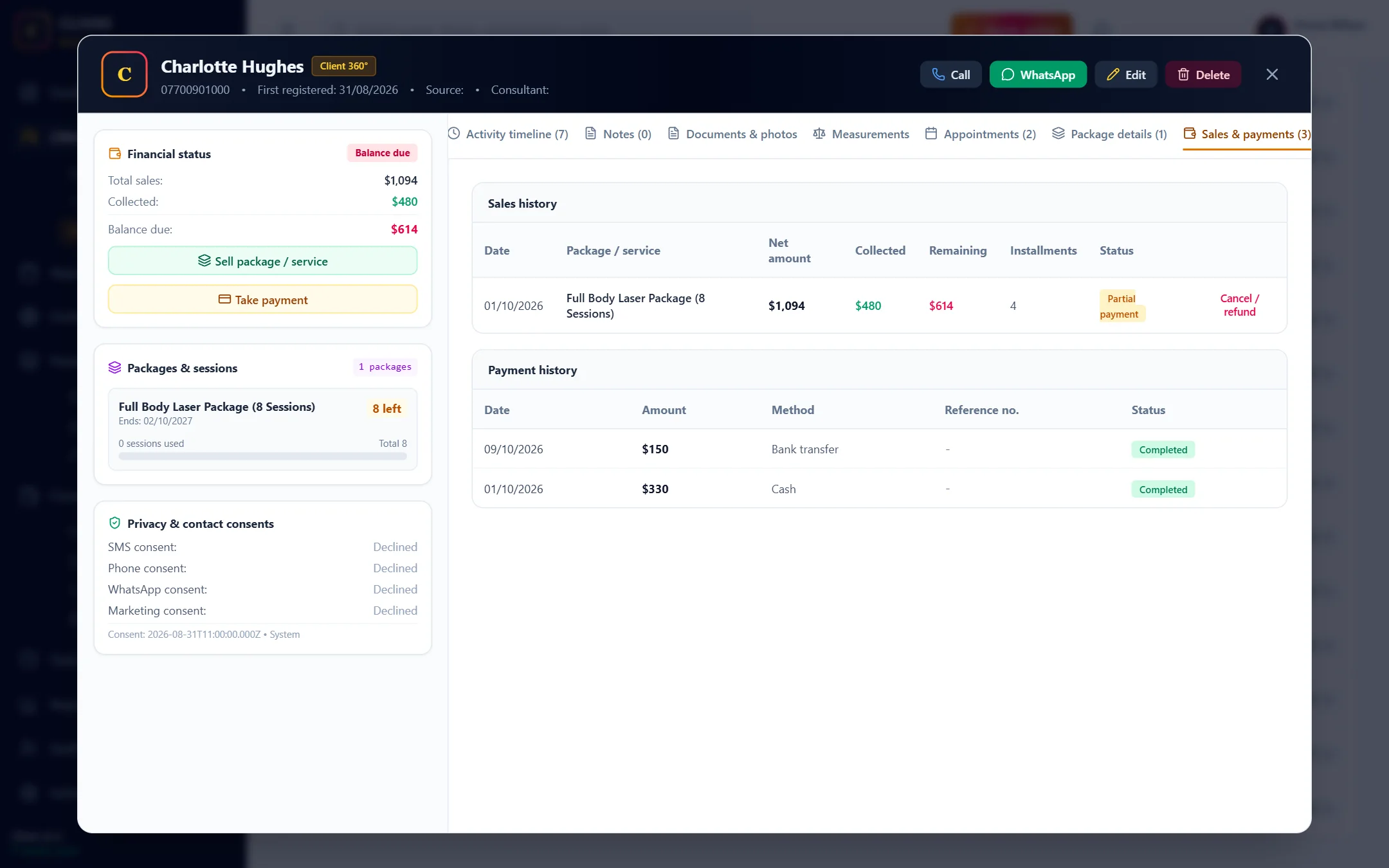
At the top of the client card you find contact details, total sales, the amount collected, the remaining balance and remaining sessions. In the tabs below are the timeline, notes, documents and photos, appointments, packages, and sales and payments. The same card can be used on a phone too.
The timeline remembers everything
Appointment created, confirmed, client arrived, completed; package sold; payment received; details edited; document added. Every event builds up on the timeline with the name of the person who did it. When a client says "I paid for this last month", finding the answer takes seconds.
Notes and photos
Specialists can add notes after a session. You can upload before and after photos and consent and contract forms (JPG, PNG, WEBP or PDF) to the client card; photos are reduced in size automatically. Uploads and deletions are recorded too.
Privacy and communication consents
For each client, SMS, phone, WhatsApp, email and marketing consents are stored separately. You can check the consent status before sending a campaign message. Client data stays only in your own business's account.
Bulk move from Excel
You save your old client list as CSV and import it in one go (up to 1000 rows). Rows whose phone is already registered are skipped; faulty rows are listed with their row number. If there is a registration date column, the clients are opened with their real registration dates. You can export the list as CSV any time.
Move your client list to Clivio
Start Your 7-Day Free TrialFrequently Asked Questions
About Client 360°
Related features
Who is it for?
Take your business digital today
Try it free for 7 days. No setup fee, no credit card needed.