
Laser Hair Removal Centers
Laser Hair Removal Center Software
In laser hair removal the revenue comes from packages: sales of 6, 8 or 10 sessions, months of follow-up and installment payments. Clivio is designed so you can manage this long process without losses.
No setup fee · No credit card needed
Problem → Solution
What does Laser Hair Removal Centers run into, and how does Clivio solve it?
Problem
Digging through a notebook when a client asks "which session am I on?"
With Clivio
Each client's remaining and completed sessions in the package are visible instantly on their card; when an appointment is completed, the session is deducted automatically.
Problem
The laser device and the room being booked twice at the same time
With Clivio
Staff, room and device conflicts are checked on the appointment; an appointment cannot be saved on a device that is in use.
Problem
Following the payments of a high-value full-body package
With Clivio
A down payment and a 2-6 installment plan are kept with due dates, and the overdue installment list is in front of you every day.
Problem
Confusion with area-based packages (legs, underarms, upper lip...)
With Clivio
You can define several areas in one package, each with its own session entitlement.
Problem
Winning back a client who missed their session interval
With Clivio
Clients whose packages are about to expire, and clients who have not come for a long time, appear as alerts in Smart Follow-up.
The real needs of a laser hair removal business
In laser hair removal centers, one client comes 8-12 times in a year; payment is often in installments, and the same client can buy separate packages for several areas. When you try to run this with an appointment book, it falls apart in three places: the session count, payment tracking and device planning.
Define the package, sell it, deduct the session
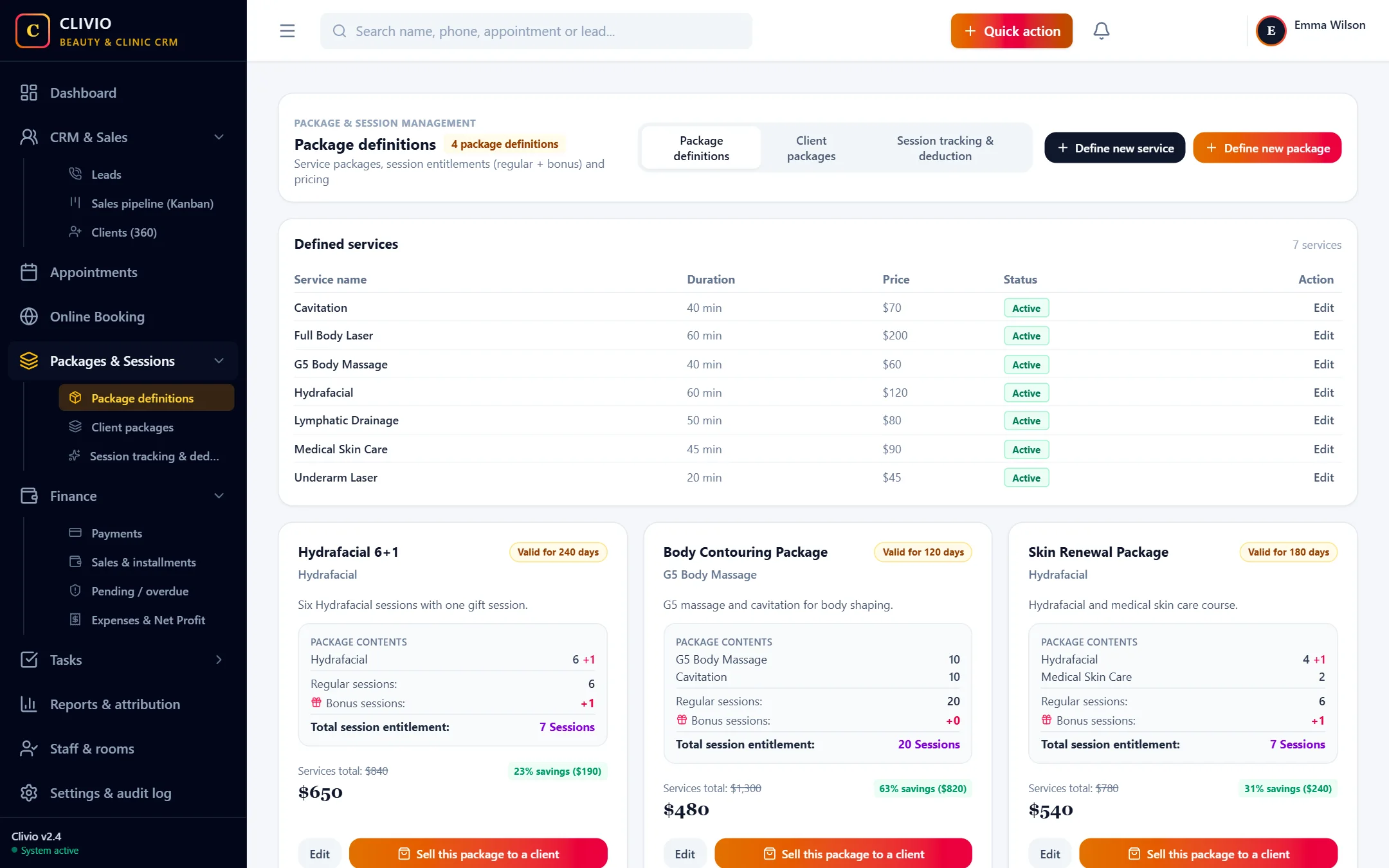
- In Package definitions, create your package such as "Full Body Laser Package (8 Sessions)" with its services, session counts and price.
- Sell the package from the client card: enter the discount, down payment and number of installments.
- Book an appointment linked to the client's package; choose the device and the room.
- When the session is over, use "Complete & deduct session" to both close the appointment and deduct the session from the package.
Device and room planning
The laser device is usually the most expensive and most limited resource of the business. When you link the device to the appointment, the system prevents the same device from being double-booked; the occupancy report shows which day and which specialist has gaps, and you aim your campaign there.
A renewal opportunity at the end of the package
Clients who have finished their package, are running low on sessions or whose package has expired are listed in Smart Follow-up. Offering these clients a new package, an additional area or a maintenance session is far cheaper than spending an advertising budget from scratch.
Put your laser center's session and payment tracking in order
Start Your 7-Day Free TrialFrequently Asked Questions
What you may be wondering
Features that matter most for this business
Take your business digital today
Try it free for 7 days. No setup fee, no credit card needed.