
Sales & Payments
Beauty Salon Payment and Installment Tracking Software
In a salon that sells packages, money is spread across down payments, installments and different payment methods. Clivio shows how much of each sale has been received, how much is waiting and what is overdue.
What does it offer?
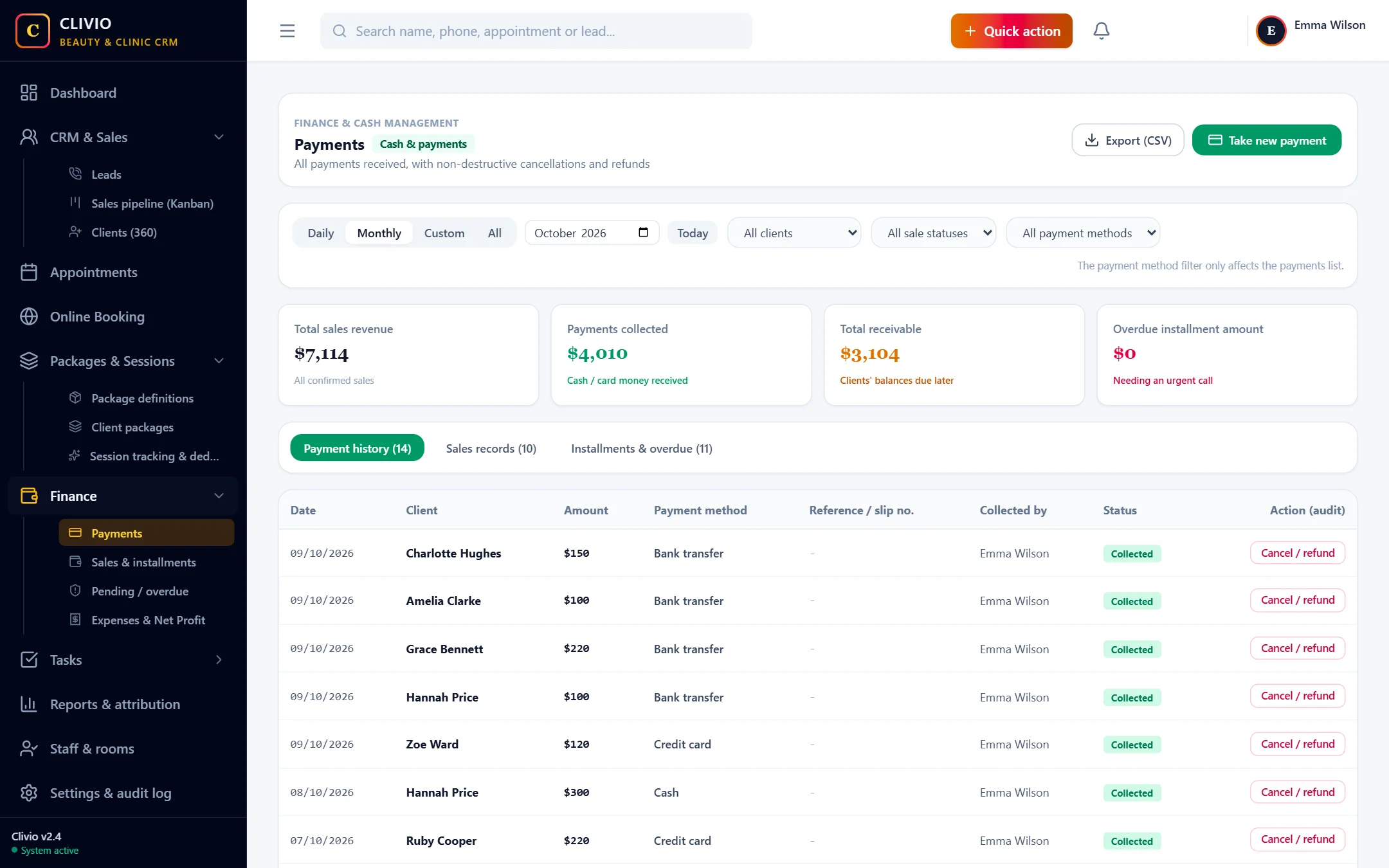
- Sales with a down payment and 2, 3, 4 or 6 installments
- Cash, credit card (POS) and bank transfer payments
- Remaining balances and overdue installments are brought to the front automatically
- Payment voiding and sale cancellation / refund records, with history kept
- Daily cash close report and CSV export
One flow from sale to payment
From the client card you create the sale with "Sell package / service", enter the discount and down payment, and split the remaining amount into 2, 3, 4 or 6 installments. The down payment goes into the till immediately; the remaining balance is followed in installments with due dates. You enter later payments with "Take payment"; the system applies the payment to the installments in order and updates the remaining balance.
Do not forget overdue payments
The "Pending / Overdue" screen lists installments that are coming due or overdue with the client name, due date and remaining amount. Call and WhatsApp links are next to them; you can reach the client with one click. The "Pending Payments" and "Open Installments" boxes on the dashboard are a summary of the same data.
When a mistake is made, the record is voided, not deleted
A payment entered by mistake is voided; the record is not deleted, its status becomes "Voided", the sale's balance goes back up and the action is written to the audit log with its reason. If the client gives up the sale, a sale cancellation / refund record is created and, if you wish, the linked package is closed too. The real refund of money is made from your own till; Clivio records it.
Report by choosing a period and filters
On the Finance page you can choose a daily, monthly or custom date range; you can filter by client, sale status and payment method. You can export the lists as CSV and share them with your accountant. The daily cash close in the Reports section shows the amount received for each day and payment method; voided payments are not included in the total and appear in a separate column.
Who did what: the person is on record
Next to every sale and payment the name of the staff member who made the entry is shown. Only users you give permission to can do sensitive actions such as payment voiding and sale cancellation.
Free your payment tracking from Excel
Start Your 7-Day Free TrialFrequently Asked Questions
About Sales & Payments
Related features
Who is it for?
Take your business digital today
Try it free for 7 days. No setup fee, no credit card needed.