
Staff & Permissions
Beauty Salon Staff and Permission Management
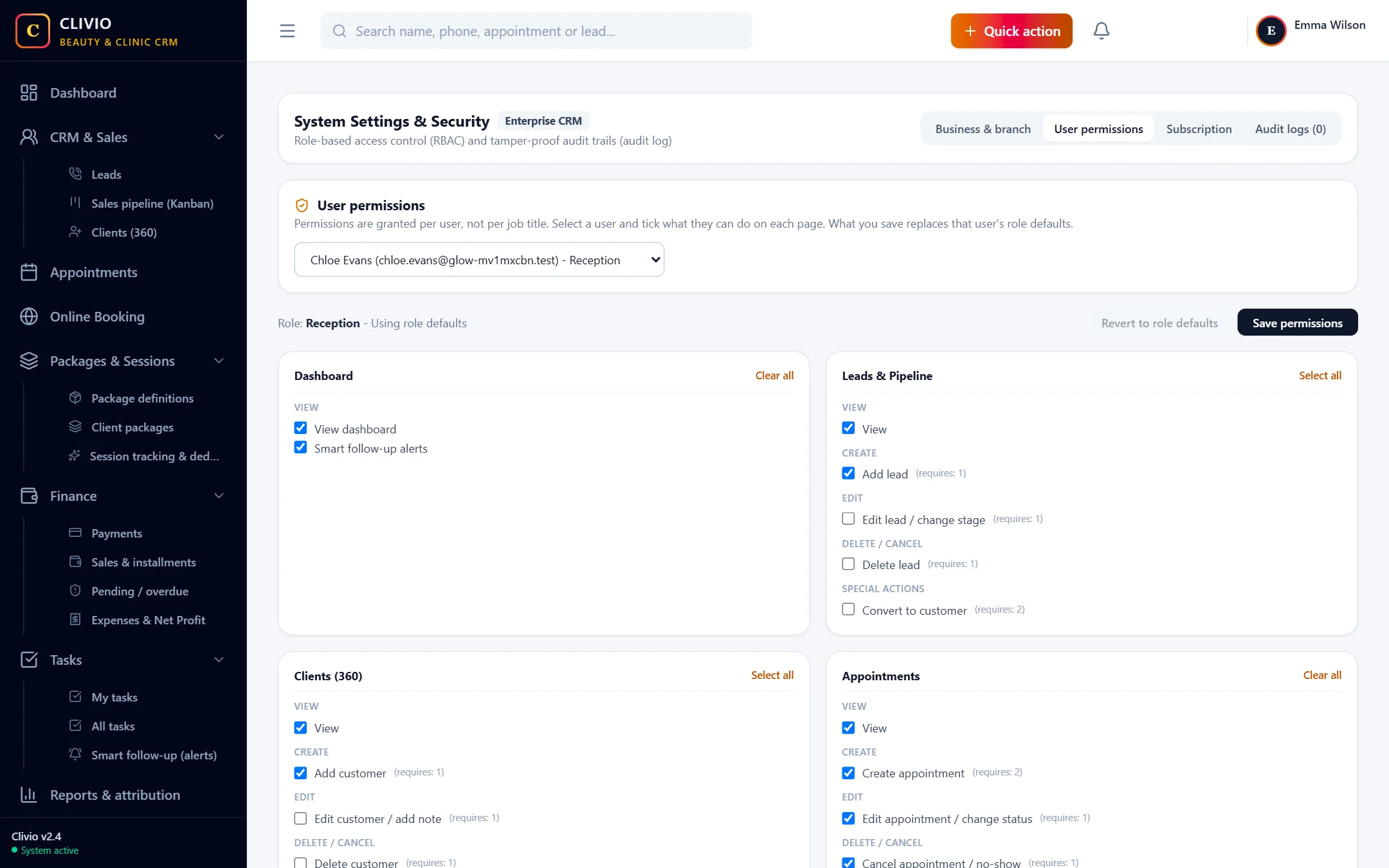
Not everyone should see everything. Reception takes payments but does not cancel sales; a specialist deducts sessions but cannot see finance. Clivio gives each employee the permissions they need.
What does it offer?
- Owner, Manager, Consultant, Reception, Specialist and Finance roles
- Page-by-page View / Add / Edit / Delete permission per person
- Room, device and staff working hours
- Multiple branches
- A filterable action log: who did what, and when
Roles and per-person permissions
Every user starts with a role; if the business owner wants, they change a person's permissions page by page. If one permission requires another (for example, viewing Finance to take payments), the system adds it itself. A page the user has no permission for does not appear in their menu at all.
Sensitive actions only for the authorized
- Sale cancellation / refund and payment voiding
- Reversing a session deduction
- Entering back-dated records
- Creating a package for one client
- Editing user permissions (business owner only)
Rooms, devices and working hours
You define your cabins and devices; the same room or device cannot be used twice in appointments. Branch and staff working hours are the basis of appointment planning and the occupancy calculation. If you have several branches, you manage them in one account; the first branch is included in the plan and extra branches are bought separately for a period.
Audit log
Important actions such as sale cancellation, deletion and permission changes are kept as a record that cannot be erased. You can filter the records by user, action type, entity and date; when something goes wrong, you find out what happened and who did it.
Give your team the right permissions
Start Your 7-Day Free TrialFrequently Asked Questions
About Staff & Permissions
Related features
Who is it for?
Take your business digital today
Try it free for 7 days. No setup fee, no credit card needed.