
Staff Commission
Staff Commission Tracking Software
Do not work out "who sold how much and earned what" by hand at the end of the month. Enter the service, product and package commission rate for each staff member once, and the commission is calculated at the rate in force at the time of each sale and saved with it.
What does it offer?
- Service, product and package commission rate (%) for each staff member
- Commission is calculated at the time of sale; changing the rate later does not affect past sales
- On a discounted sale, commission is based on the net amount after the discount
- Cancelled and refunded sales do not count towards commission
- Commission report by period with CSV export
Enter the rate once
On the "Staff & Rooms" page you edit the staff member and enter three rates: service commission, product commission and package commission (as percentages). In a barber shop, for example, you might give 40% on services and 10% on product sales. Rates are per staff member; they do not have to be the same for everyone.
Pick the staff member when you make a sale
In the Quick sale screen you pick the staff member who did the work for each service or product line; in the "Sell package / service" window on the client card you can pick the staff member who made the sale too. The commission is calculated at the rate in force at the time of sale and stored with that line, so even if you change a rate in the middle of the month, the commission on earlier sales stays intact.
On the net amount, and removed on cancellation
- On a discounted sale the discount is shared across the lines proportionally; commission is calculated on the net amount left after the discount.
- When a sale is cancelled or refunded, the commission on that sale drops out of the report.
- No commission is calculated for lines where no staff member was selected.
End-of-month commission report
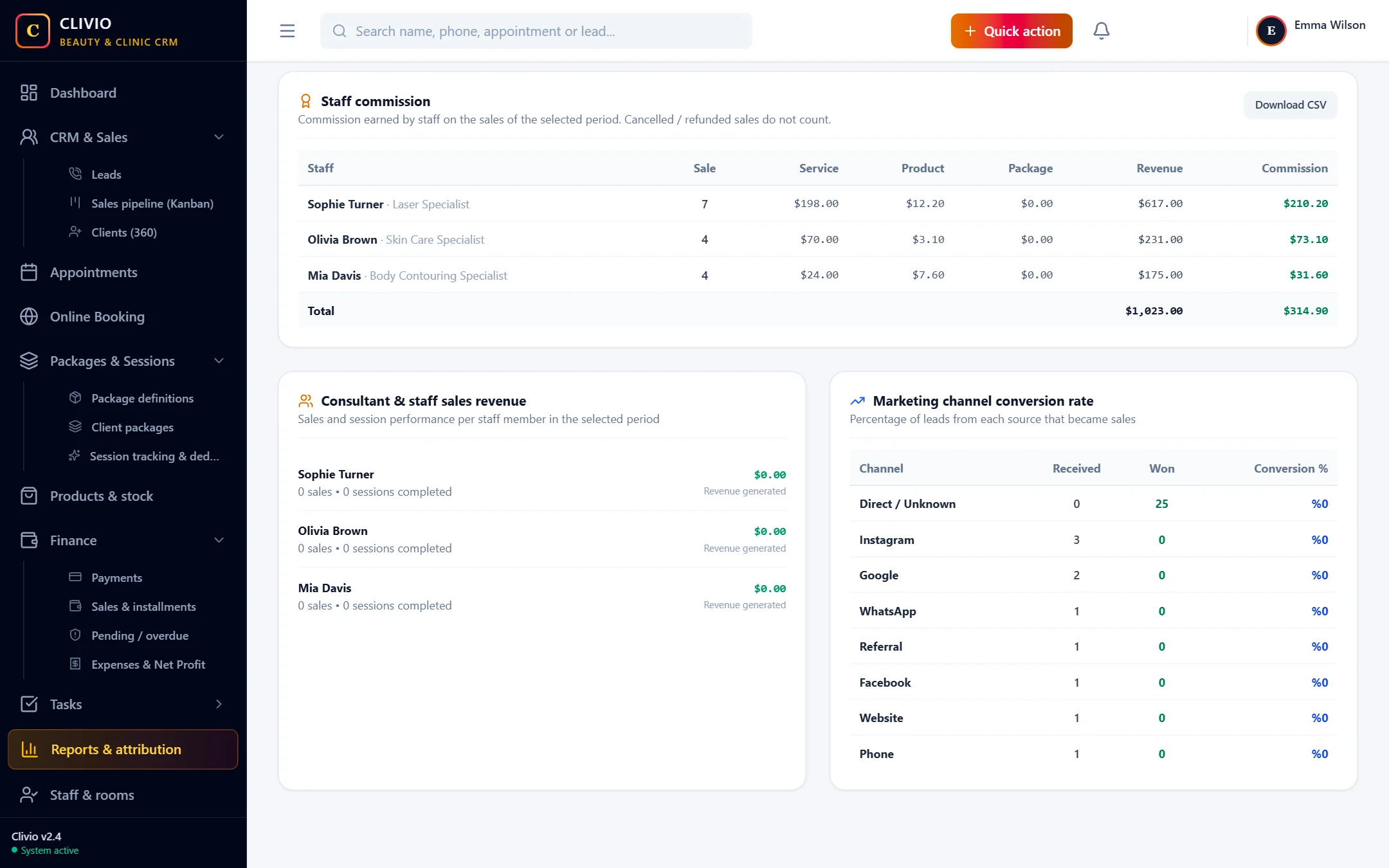
The "Staff commission" table on the Reports page shows, for the period you choose, each staff member's number of sales, service, product and package revenue and the total commission earned. You can download the table as CSV and share it with your accountant or use it in your payroll calculation. The report is opened by a separate permission; only the people you authorize see commission figures.
This is not payroll
Clivio calculates and reports commission; it does not handle salaries, social security or payroll. You use the output in your own payroll process.
Put commission calculation on autopilot
Start Your 7-Day Free TrialFrequently Asked Questions
About Staff Commission
Related features
Who is it for?
Take your business digital today
Try it free for 7 days. No setup fee, no credit card needed.